
Agentic AI comes to class
Two new models as well

Smart Teaching Evolved - Issue #25
Tuesday, April 28, 2026
Welcome back to Smart Teaching Evolved, your Monday morning AI briefing for educators, administrators, and district leaders. Last week was Claude Opus 4.7 and the developmental framework for talking about AI across grade bands. This week the news comes from the other side of the lab. OpenAI shipped two major releases inside of three days, and the combination changes what is actually possible for classroom materials.
This issue: what the GPT-5.5 and ChatGPT Images 2.0 pairing means in real classrooms, with three worked examples across social studies, ELL support, and high school biology.
Intro to AI: What “Agentic” Actually Means
You will hear the word agentic a lot in the next few weeks. OpenAI used it heavily in the GPT-5.5 announcement. It is worth understanding before the marketing gets ahead of the meaning.
Until now, working with AI has felt like a relay race. You hand the tool a small task. It hands you back a draft. You revise the prompt. It hands you another draft. You stitch the pieces together yourself. The teacher is the project manager, and the AI is one specialist on the team.
Agentic means the AI takes on more of the project management. You hand it a messy, multi-step task and it plans the steps, makes the calls between tools, checks its own work, and brings you a finished thing. Not perfectly, and not always, but more often than before.
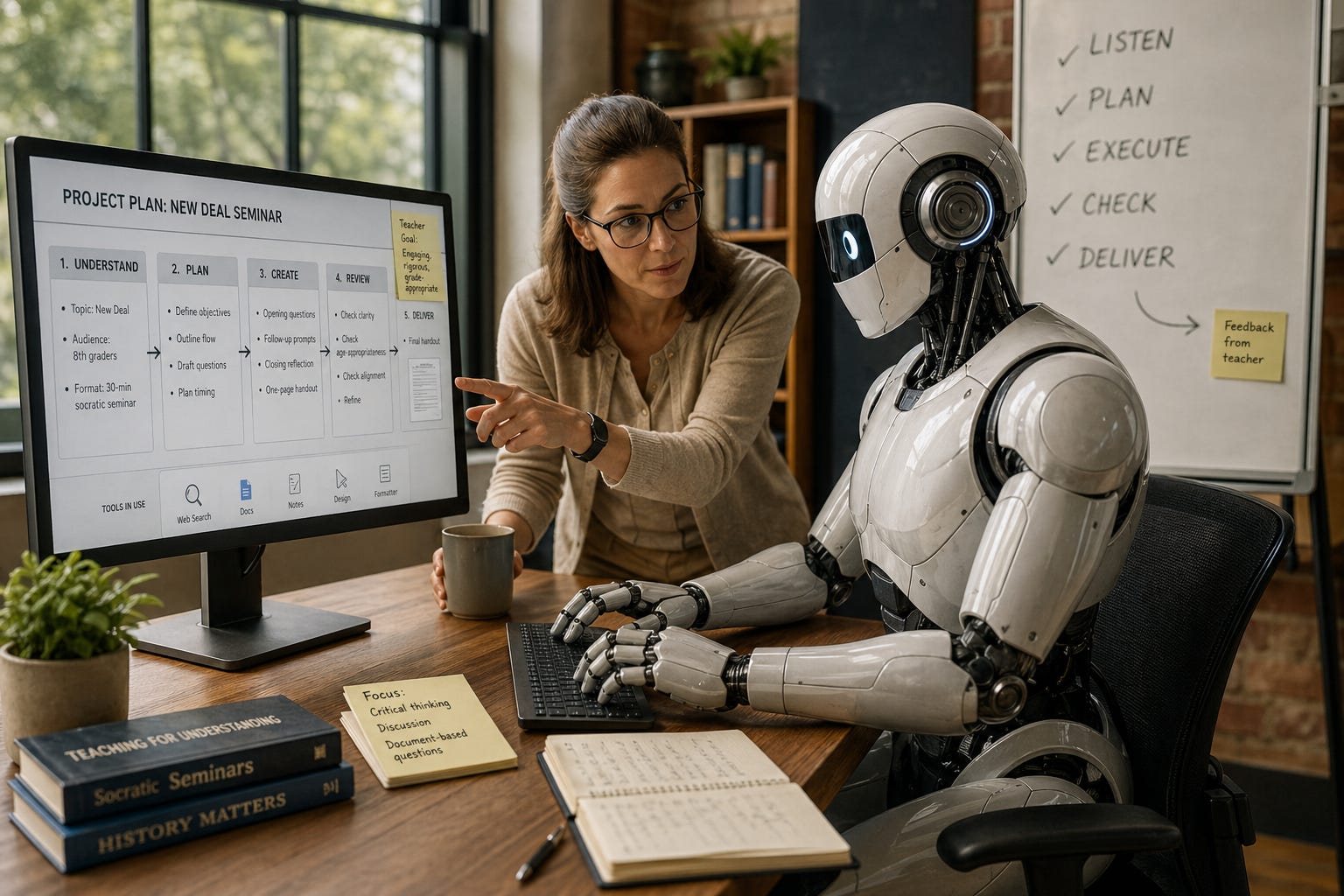
In practice, this looks like the difference between asking GPT-5.5 to “write a discussion question about the New Deal” and asking it to “plan a 30-minute Socratic seminar on the New Deal for 8th graders, including opening questions, follow-up prompts, and a closing reflection, then format it as a one-page handout.” The first request is what we have been doing. The second is what GPT-5.5 was built for.
For teachers, the practical takeaway is simple. You can ask for more in one prompt and get more useful output back. The skill being rewarded is no longer prompt-tinkering. It is clear thinking about what you actually want the finished resource to look like.
Innovative Use: Three Classrooms, One New Toolkit
The pairing of GPT-5.5’s planning ability with Images 2.0’s text rendering means you can now produce classroom-ready materials end to end in one tool. Here is what that looks like across three different subjects this week.
Social Studies: The Oregon Trail Storyboard
A 5th grade teacher working through Westward Expansion wants students to feel the human side of the policy, not just memorize routes. She prompts GPT-5.5:
“I teach 5th grade social studies. Plan an 8-panel storyboard following one fictional family traveling from Missouri to Oregon in 1845. Include one key challenge per panel. Keep text at a 5th grade reading level. Then generate all 8 panels using Images 2.0, keeping the family looking consistent across every scene.”
GPT-5.5 outlines the panels: leaving home, the river crossing, a prairie storm, a supply shortage, illness on the trail, the mountain pass, the valley arrival, building the homestead. Images 2.0 produces all eight panels in one batch with the same family appearing in each. The captions render correctly the first time.
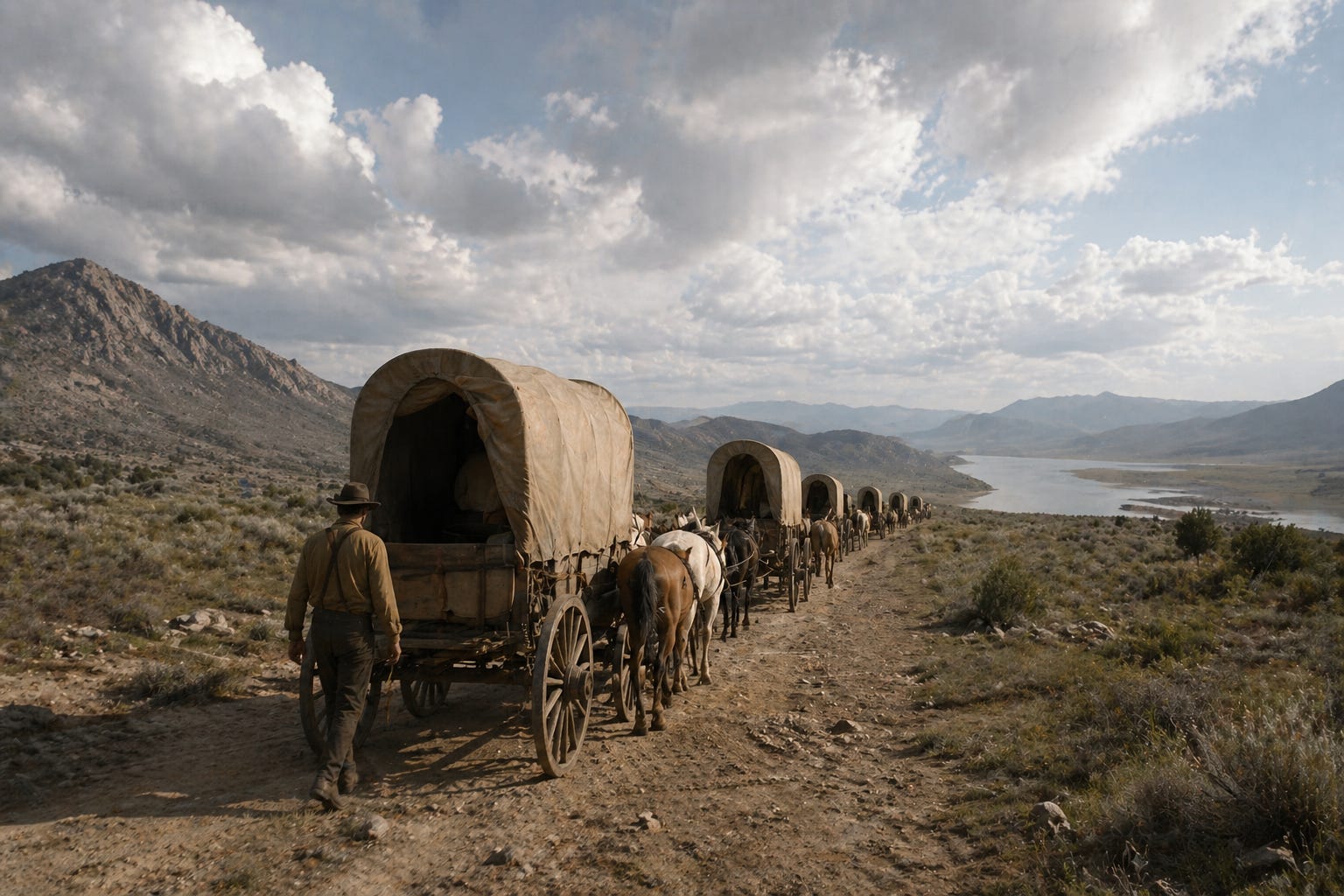
What changed: character continuity across multiple images was unreliable until this release. A storyboard like this used to require Canva templates or hand-drawn panels. Now it is one prompt.
A note for teachers building this kind of resource: a unit on Westward Expansion still needs to honestly handle whose land that family was crossing into. The tool produces the visuals faster. The teacher still decides whether the lesson tells the full story.
ELL Support: Dual-Language Classroom Resources
A middle school science teacher has three recently arrived Hindi-speaking students in a class of 28. Until now, her workflow has been Google Translate plus Canva, plus a colleague double-checking the translation, plus an hour she did not have. With Images 2.0, she prompts:
“Create a classroom poster showing the six steps of the scientific method. Label each step in both English and Hindi. Visually clear, 7th grade appropriate.”
Images 2.0 renders the Devanagari script accurately next to the English. The teacher prints the poster the same morning. She runs the same prompt to produce a vocabulary card set covering the unit’s key terms.
What changed: previous AI image tools could not handle non-Latin scripts at classroom quality. Korean, Japanese, Chinese, Hindi, and Bengali now render correctly. For any building with shifting newcomer populations, that collapses a three-tool workflow into one prompt.
The privacy line still holds. No student names, no IEP details, no family information goes into the prompt. The teacher describes the classroom in general terms only.
Science: The Differentiated Cell Diagram
A high school biology teacher needs three versions of a plant cell diagram for tomorrow’s lab. Below grade level students need fewer parts with simpler descriptions. Grade level students get the standard set. Advanced students get organelle function labels alongside the structure labels.
She prompts GPT-5.5:
“Plan three versions of a labeled plant cell diagram for high school biology. Simplified version with 5 parts, standard version with 10 parts, advanced version with 12 parts plus brief functional descriptions next to each label. Generate all three with Images 2.0.”
Thirty seconds later, three professionally laid-out diagrams appear. The text renders crisply. Every label is spelled correctly. The visual styling is consistent across all three versions. By the standard of “what a worksheet looks like,” it is ready to print.
Then she actually reads it.
In the simplified version, the large blue central structure is labeled as a chloroplast. It is the vacuole. The chloroplasts, those small green oval structures arranged around the edge of the cell, are not labeled at all. In the standard version, the same vacuole gets mislabeled again, and the line for endoplasmic reticulum points at empty space. In the advanced version, a callout for “cytoskeleton” floats with no leader line connecting it to any actual structure, and the rough and smooth ER labels both point at the same gold-colored organelle, which is drawn more like a Golgi apparatus than an ER.
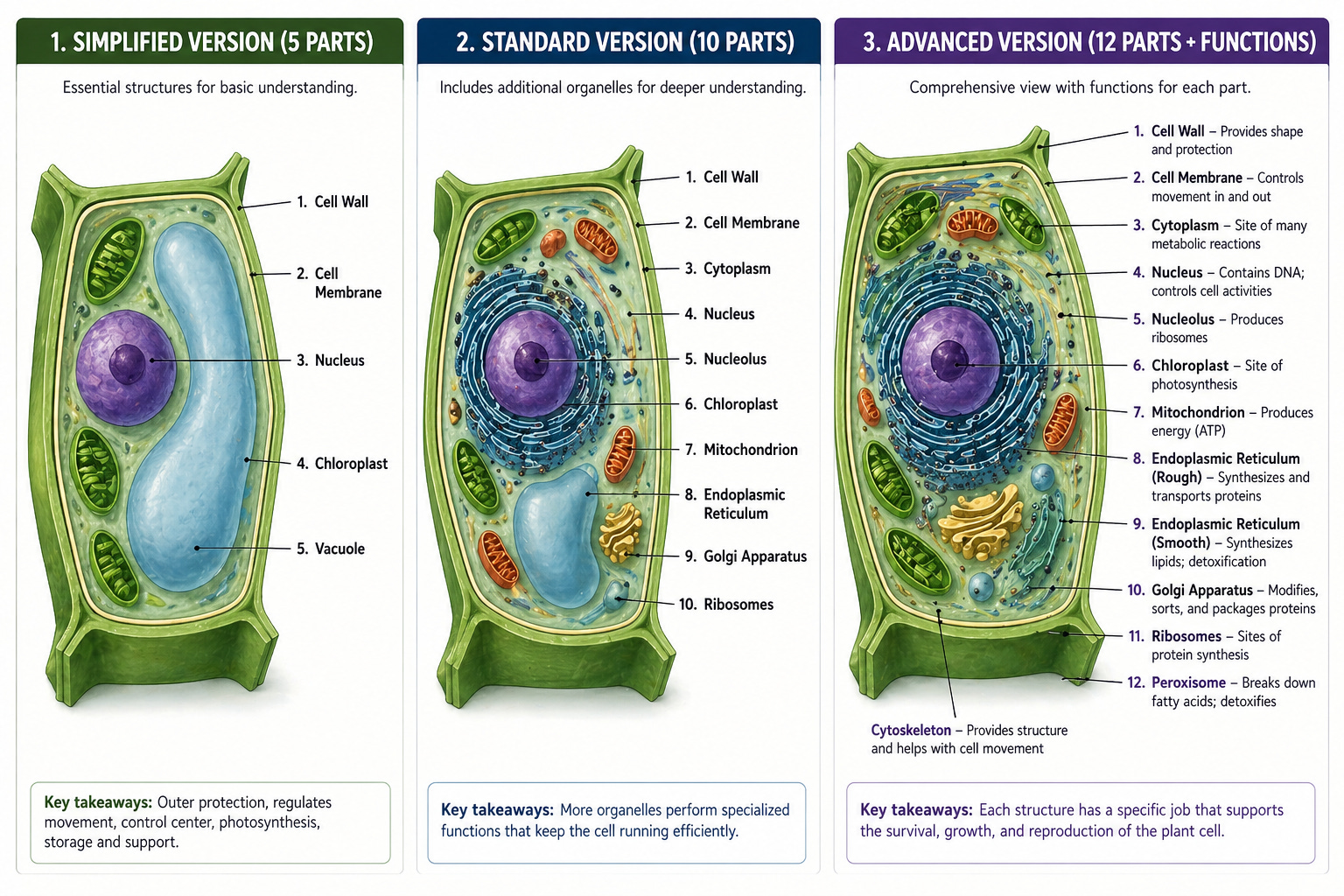
The text rendered beautifully. The biology is wrong in ways a 9th grader would memorize and a teacher would catch only on a careful second read.
This is the part of the workflow story the marketing leaves out. Images 2.0 fixed the text rendering problem. It did not give the model a working understanding of plant cell anatomy. The model produced a confident, polished, professionally styled diagram with substantive content errors. A teacher who is not a content specialist might miss them. A teacher in a hurry definitely will.
There is real value in this image. It is a useful starting point for a lecture slide, a visual prompt to spark a “what’s wrong with this diagram?” discussion, or a base layer the teacher edits in another tool. It is not ready for textbook production, and treating it that way is how factual errors end up in front of students.
The realistic workflow for a labeled subject-matter diagram is generate, then verify against an authoritative source, then either correct in the prompt and regenerate or fall back to a textbook image. That is fifteen or twenty minutes of careful review per resource. Still faster than building from scratch in a design tool. Not the one-prompt-to-print outcome the social studies and ELL examples deliver.
What This Adds Up To
Three years ago, AI image tools were a creative novelty. They could produce a moody illustration of a scientist but could not put readable words on a diagram, a poster, or a sign. That gap is what kept them out of serious classroom use.
The text rendering breakthrough closes that gap. Paired with GPT-5.5’s ability to plan a multi-step task without constant back-and-forth, teachers can now go from “I need a resource for tomorrow” to “the resource is printing” in a single session.
That is also why the privacy and developmental framing this newsletter has hammered on for four months matters more, not less. Faster materials creation does not lower the standard. The teacher still decides which version the third grader sees, whether the dual-language poster is culturally appropriate for her actual newcomer student, and whether the historical narrative handles every perspective with the care it deserves. The tool got faster. The judgment work is still ours.
AI News Alerts
ChatGPT Images 2.0 launched April 21. The headline feature is accurate text rendering at 2K resolution, including non-Latin scripts. The model can also produce up to eight images from a single prompt with character and object continuity across the set. Available to ChatGPT users on all tiers, including free, with thinking-mode features for paid subscribers. Worth noting: the model’s knowledge cutoff is December 2025, so anything more recent than that may render with errors.
GPT-5.5 launched April 23. OpenAI describes it as their most capable model for messy multi-step work. Available now to Plus, Pro, Business, and Enterprise users in ChatGPT and Codex. GPT-5.5 Pro is in those same plans except Plus. The model arrived in the API on April 24. ChatGPT Edu users on Enterprise plans should see the rollout through their existing district environments. Read the actual terms before assuming this is FERPA-aligned for your context.
Boston Public Schools made AI fluency a graduation requirement. Mayor Michelle Wu announced earlier this month that BPS will become the first major-city district to require AI literacy for graduation, starting September 2026. The program is funded by a $1M seed grant from Kayak co-founder Paul English, a BPS graduate, and will train one teacher from each of the district’s roughly two dozen high schools. This is the policy direction Issue #24’s developmental framework was pointing at, now showing up as actual graduation policy. Expect other large urban districts to watch closely and follow.
The pattern across all three stories: the tools are getting more capable faster than most district policies are getting updated. If your building has not refreshed its AI guidance since last fall, the gap is widening every month. It’s time to talk with Dr. Voss about what steps to take next.
Teaching Tips: Try This One Prompt This Week
Pick the resource you most often spend forty-five minutes building in Canva or PowerPoint, the one with labels and small text that AI image tools always botched. Open ChatGPT, select GPT-5.5 Thinking if you have a paid plan, and try this:
“Plan a [poster / diagram / one-page handout] for [grade level] [subject] on [topic]. Include [number] labeled elements with brief descriptions. Then generate it as a single image at landscape orientation, classroom-printable, with all labels rendered as readable text inside the image.”
Review what comes back. If it works, you just compressed forty-five minutes into five. If it does not, refine the prompt once and try again. Three iterations is the realistic ceiling before you should fall back to your old workflow.
Two boundaries worth keeping in front of you while you do this:
First, no student names, no student work samples, and no identifying information goes into any prompt unless your district has signed a data processing agreement with that specific tool. Free-tier ChatGPT does not meet FERPA, COPPA, or SOPIPA standards for student data. ChatGPT Edu has different terms. Find out which environment you are in before you assume anything is covered.
Second, generated visuals carry the same review responsibility as any other classroom material. Look at every image before you put it in front of children. The text rendering is much better. It is not perfect, and the model still makes choices about what people, places, and objects look like that deserve a second pair of eyes.
Next week we will look at how districts can use the new infographic and labeled-diagram capabilities to overhaul their compliance training and family communication, where the time savings may actually be bigger than in the classroom itself.
Smart Teaching Evolved is published by Dr. Robert Voss of Voss AI Consulting, member of the OpenAI Academy Faculty. If your district is wrestling with how to update AI guidance, vet new tools against FERPA and SOPIPA, or train teachers on what is actually changing month to month, this is exactly what I can do for you. PD slots are filling quickly for the fall. Registration and consulting inquiries at vossaiconsulting.com. Got an AI question from your classroom or your central office? Hit reply, I read every one.